What’s the Best Way to Manage Multiple Projects at Once?

Alyssa Briones
26 January 2026 05:00 PM


Multiple projects can quickly compete for attention. Learn how the right project management tool can help keep everything moving smoothly.
What’s the Best Way to Manage Multiple Projects at Once?
Managing multiple projects at once often feels like your brain is running in several tabs that never fully load. Tasks overlap, expectations pile up, and there never seems to be enough hours in a day.
It’s a lot, mentally and emotionally, especially when every project feels equally important. While multitasking seems like the obvious solution, it usually ends up draining you more than it helps. And when you’re responsible for keeping things moving across several teams or clients, the pressure doubles.
But the good news is, there are ways to manage it without burning out, and it starts with having the right systems in place.
Create a Unified Overview of All Projects
One of the biggest reasons multi-project work feels overwhelming is because everything is found in different places. Messages are in one tool, tasks in another, and the deadlines are in someone’s notebook. Clear this clutter by only using one project management tool.
A single dashboard showing timelines, owners, task dependencies, and deadlines gives you a sense of clarity.
When the full picture is in front of you, planning becomes more strategic and far less stressful. You can make decisions based on information, not assumptions. It helps you anticipate problems before they snowball. You can spot timeline conflicts, check who’s overloaded, and shift priorities with confidence. And because your team works off the same shared view, everyone stays aligned, even when projects move at different speeds.
Use Tools That Support Cross-Project Views
Every team member has unique needs when handling multiple projects, and the right cross-project views can address them all.
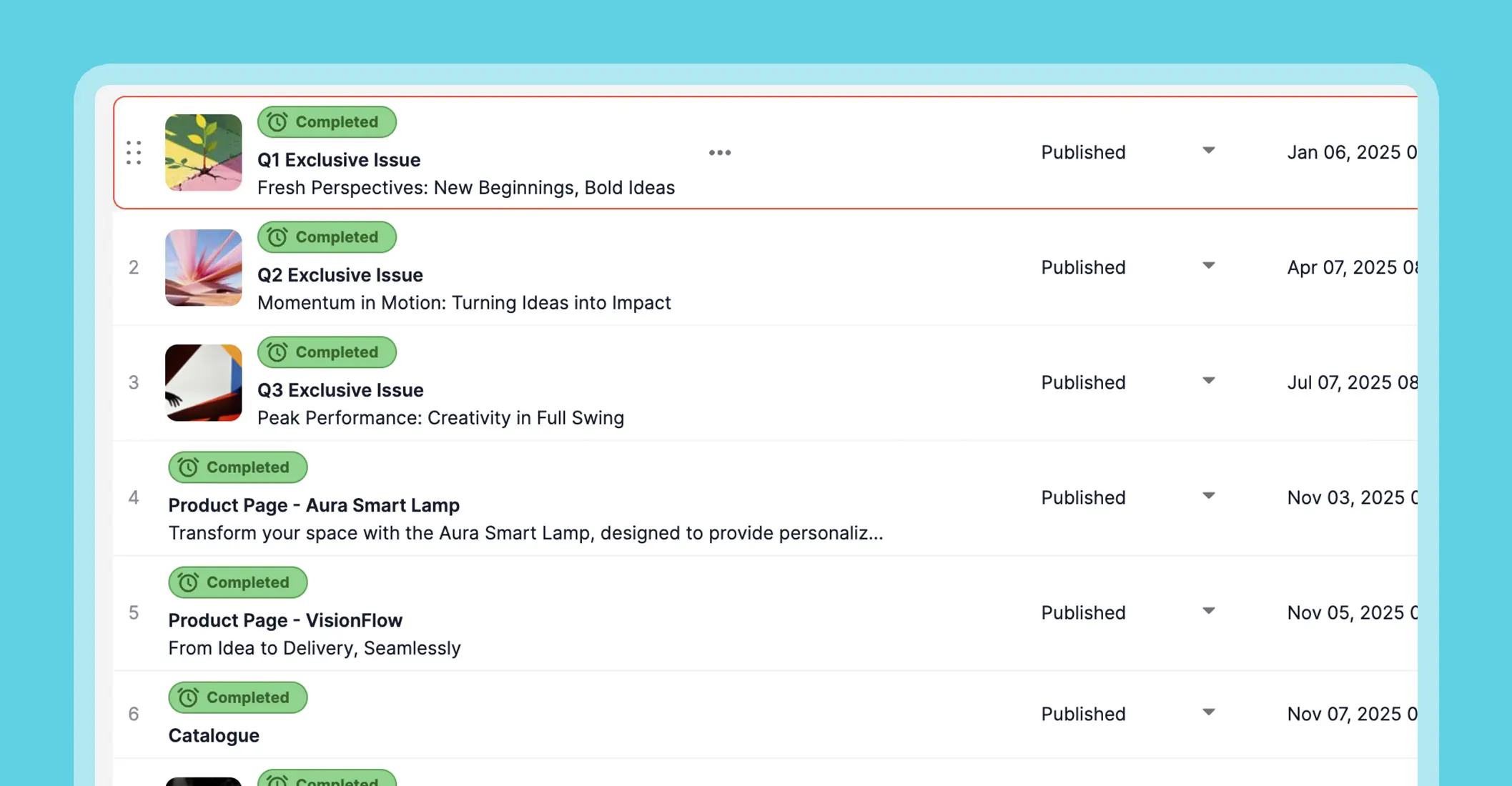
- Lists give individuals a straightforward view of their tasks. Team members can immediately see what’s theirs, helping them manage their own workload without constantly asking for updates.
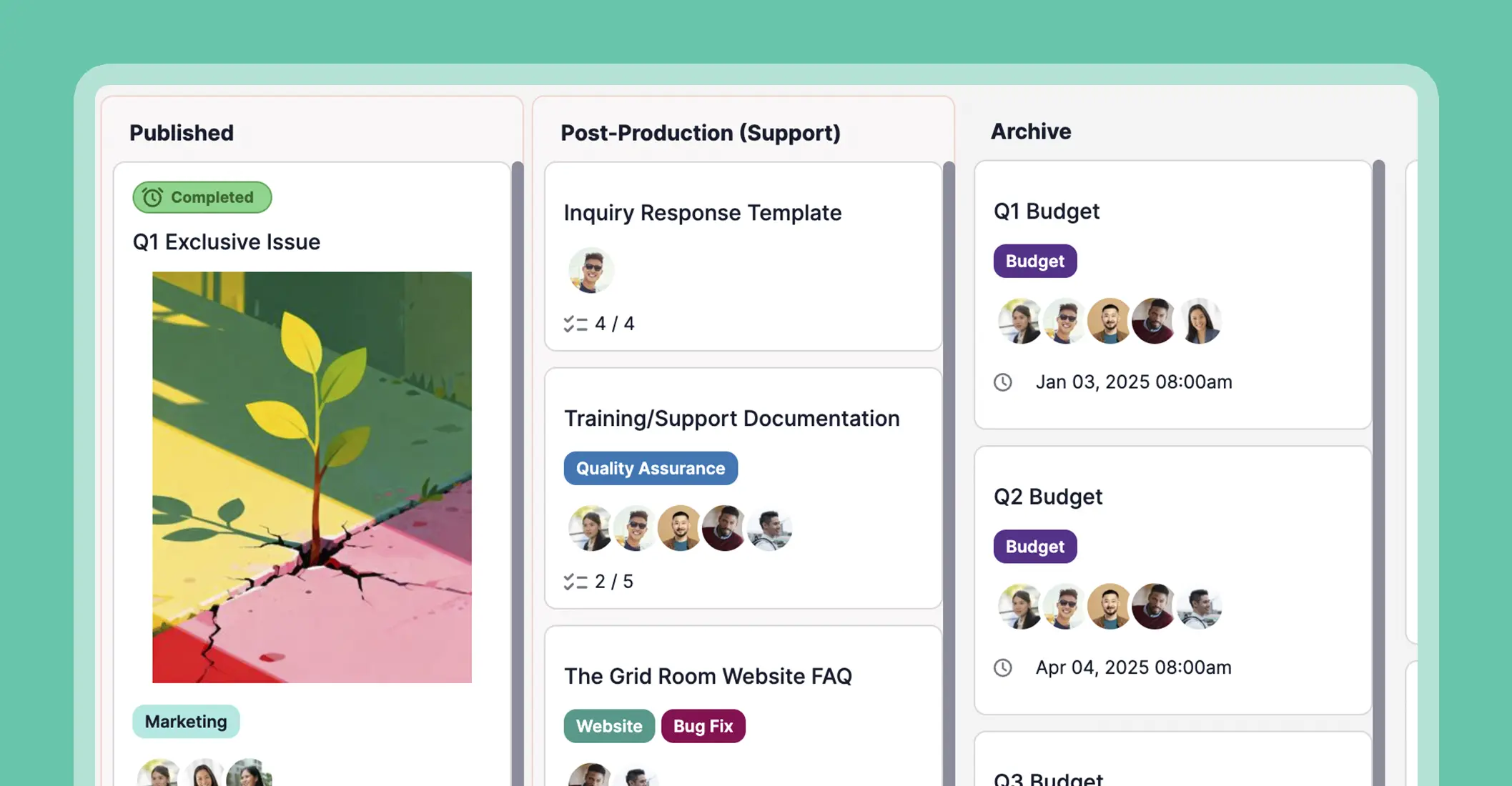
- Kanban boards offer a visual representation of the workflow. This helps teams anticipate problems before they escalate and make adjustments proactively. It is also perfect for seeing attached images efficiently on the dashboard.
- Calendar views show everyone the big picture timeline. They help prevent scheduling conflicts and allow team members to plan their work realistically.
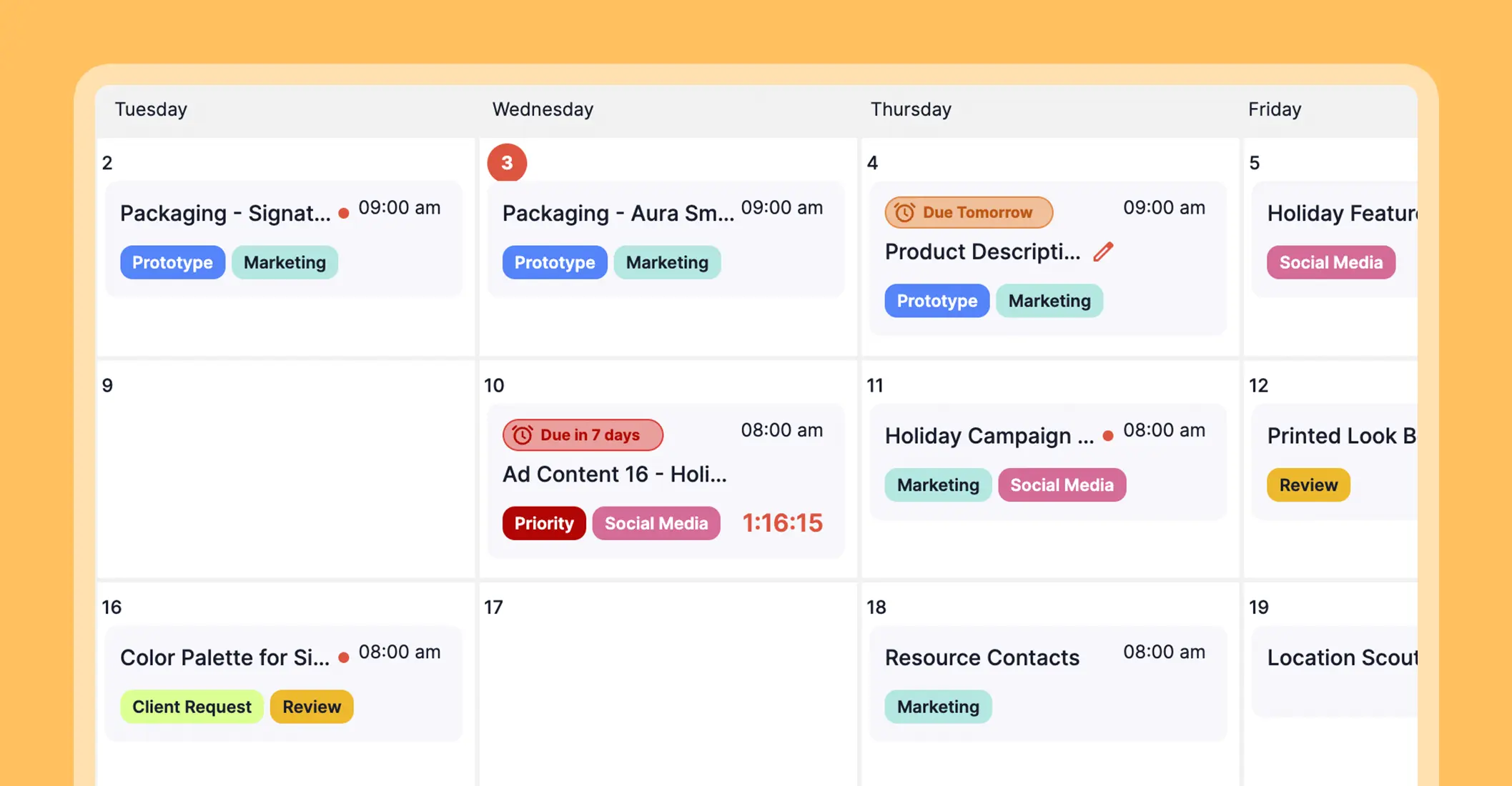
Personalized project views let each team member leverage their strengths and work style. Lists help people who focus best on granular tasks, visual thinkers can rely on Kanban boards, and shared calendars support those who thrive on time management. Through this, everyone can work in the way that suits them, and perform at their peak.
Build a Prioritization Framework
A prioritization framework ensures each task is assessed for urgency, impact, and effort. It is best implemented using a project management tool that has categories or labels, so anyone can instantly understand what a task involves and its priority level.

For handling multiple projects simultaneously, here are the most effective frameworks based on practicality and widespread success in common corporate environments:
- Eisenhower Matrix
Separates tasks by urgency and importance. To do this, you must create a 2x2 grid: Urgent & Important, Important but Not Urgent, Urgent but Not Important, and Neither Urgent nor Important. List all tasks from all projects and assign them to the appropriate quadrant. Delegate each! Remove empty quadrants.
This method helps in quickly aligning and avoiding issues.
2. MoSCoW Method
It shows a clear hierarchy by assigning each task to the following category:
- Must Have: Critical tasks that must be done to achieve goals.
- Should Have: Important but not critical; can be delayed if necessary.
- Could Have: Nice-to-have tasks, optional.
- Will Not Have: Tasks that will not be done in this cycle.
3. RICE Scoring
Quantifies the value of each task or project. It helps decision-makers focus on initiatives that offer the highest impact relative to effort.
For each task or project, score:
- Reach: How many stakeholders/customers it affects.
- Impact: How much it contributes to objectives (high/medium/low).
- Confidence: How certain you are about the expected outcome.
- Effort: Amount of time/resources needed.
Calculate a RICE score: (Reach × Impact × Confidence) ÷ Effort. Rank tasks to determine which one to prioritize first.
Any of these prioritization frameworks can keep your team in sync and still have space to breathe while at it. It’ll be amazing how much smoother work feels when tasks aren’t up for debate.
Open Communication
Keeping everyone on the same page is half the battle. Don’t add the stress and time-consuming act of back-tracking updates in one loud group chat to drift you off your focus!
A project management tool like Upprovall makes this easy by keeping every update, file, and question neatly tied to its specific task. It also separates internal team comments from guest or client comments, so there’s no mix-up about who said what or who needs to respond.
Because access is controlled per task, people only receive messages meant for them. Learn more here.
Conclusion
You don’t need superhuman speed to manage overlapping projects. You just need a structure that keeps things in order.
Take the first step toward a smoother workflow. Free forever accounts for those who’ll start using Upprovall today. Create here.