Best Collaboration Tool for Remote Teams

Alyssa Briones
27 December 2025 01:00 AM


Remote work has opened up incredible opportunities for global collaboration, but it also created a new kind of challenge: staying connected when you’re not in the same room.
In theory, work-from-home jobs offered no commute, more flexibility, and the freedom to build a team from anywhere in the world. But anyone who’s done it knows that it’s not always as smooth as it seems. If you’ve ever felt like your team’s conversations are buried under a mountain of notifications, this is a shared experience for almost all remote workers.
Best Collaboration Tool for Remote Teams
Remote work has opened up incredible opportunities for global collaboration, but it also created a new kind of challenge: staying connected when you’re not in the same room.
In theory, work-from-home jobs offered no commute, more flexibility, and the freedom to build a team from anywhere in the world. But anyone who’s done it knows that it’s not always as smooth as it seems. If you’ve ever felt like your team’s conversations are buried under a mountain of notifications, this is a shared experience for almost all remote workers.
Collaboration Efforts in Remote Work
The global adoption of remote work accelerated during the onset of COVID-19 pandemic in 2020. Although full-time remote work remains less common than hybrid models (where employees split time between home and office), many companies have embraced flexibility as a permanent fixture today.
Interestingly, remote work also gave something back: time. Without commutes, employees save about 70 minutes a day, and nearly 40% of that time is funneled back into productive work. When it became the norm, teams could no longer rely on face-to-face discussions or spontaneous problem-solving sessions. They had to be creative.
Collaboration means being in sync with your team. It’s aligning your goals, sharing ideas, and being visible with your contributions to achieve an outcome. In remote setups, this is how they do it:
- Daily check-ins on group chat platforms
- Cloud document-sharing
- Asynchronous brainstorming
- Back-to-back video calls
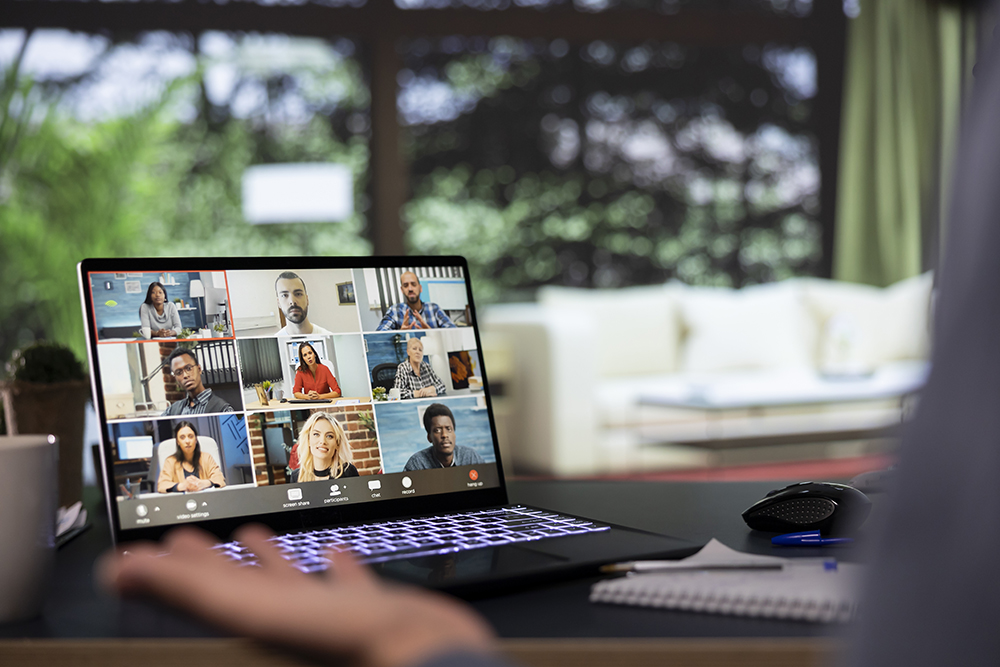
It worked to an extent. The more tools teams have used, the harder it becomes to keep track of what’s happening. A report stated that 50% of employees found poor communication to negatively affect their tasks. Over time, organizations realized that collaboration needed a more intentional structure.
That’s how the existence of project management tools became essential. They offered one shared environment where communication, planning, and progress came together. It became a solid bridge between people, tasks, and time zones. It helped reclaim that collaboration in remote work remains possible and sustainable.
Features Needed in a Collaboration Tool
Collaboration tools have become the digital office for remote teams. Not every platform fits all working styles but the best ones share the following key qualities:
- Instant Communication
May it be a quick note, group discussion, client feedback, or project update, the tool should make conversations effortless and accessible. It helps keep the energy and connection alive by ensuring no one is left waiting for a response.
- Organized Task Tracking
A strong system for tracking goals, assigning tasks, and setting timelines keeps everyone accountable. Clear project views prevent confusion or overlap.
- Seamless File Sharing
Collaboration often means working on shared content. It kills momentum if time is spent over searching through endless folders. File sharing should be smooth, searchable, and built with version control so teammates always know they’re working on the right document.
- Cross-Platform Access
Work happens on the go now. Whatever device they are using, the tool must be smoothly working. This flexibility keeps collaboration fluid and inclusive, no matter where people are.
- User-Friendly Design
Collaboration should never feel complicated. The best tools are easy to use, intuitive, and visually clear to be adapted by workers of all generations.
How Upprovall Empowers Remote Teams
In Upprovall, everything starts with a card. It holds all the essential details of a project item. Containing all the features that empower collaboration in remote teams, here are the advantages of using this tool:
- Keeps Everyone in Sync
Each card holds its own thread of conversation. Team and Guest members can comment directly within the task. Through this, conversations don’t get mixed up! It’s also simple to scroll through.
2. Real-Time Notifications
Updates will be known by the team as they happen. They appear in order by date, and can be filtered by workspace, so it’s easy to stay caught up without getting flooded with alerts.

3. Makes Work More Transparent
- You can easily check who made changes and when in each card. The card’s activity log and revision count show how a task has evolved, promoting accountability and visibility within the team.
4. No More Switching Between Apps
- Upprovall combines all the important features of project management tools into one platform. It has everything you need in a simple yet powerful workspace!
To learn more about our service, click here.
Conclusion
We’ve all seen how fast the world of corporate work has changed. Teams are spread out, schedules are flexible, and “office hours” look different for everyone. But to make it effective, we need to strengthen our connection.
Collaboration tools help teams stay efficient. It takes the mess out of managing projects remotely by keeping everything in one space. If you’re looking for one fit for your needs, it’s easier to get started with Upprovall.
Create a forever-free account here.