Free vs Paid Project Management Tools: What to Choose?
Alyssa Briones
09 March 2026 05:59 PM


Not all “free” tools stay enough when you start needing more features. And not every paid tool is worth the cost. Before committing to either, it helps to understand how pricing, features, and scalability really compare.
Choosing a management tool sounds simple. A quick search brings up dozens of options, many promising to organize your projects, streamline communication, and boost productivity. Some are completely free. Others come with monthly fees and feature-packed plans. At first glance, the free option feels like the obvious choice. Why pay for something you can get at no cost?
However, business needs rarely stay simple. You may need better reporting, more integrations, stronger security, or automation that can only be accessed after a premium subscription. Yet, paying for a tool you don’t fully use can feel like wasted money.
So what should you do?
What Does Free Management Tools Offer?
Free project management tools usually give you just enough to get organized. It covers the foundation of what most teams need. Features you’ll commonly find include:
- Task creation and assignment
- Setting of deadlines
- A limited number of users or projects
- Simple boards or lists to organize work
- Basic team collaboration
- Real-time notifications
The simplicity is part of the appeal. There’s no budget approval, no long onboarding process, and no complicated pricing plans to compare. Because the feature set is intentionally limited, many teams can start using the tool right away without much training.

That said, free tools come with boundaries. Storage space may be limited. Integrations with other software might be restricted or capped. As collaboration increases, you may also notice limits on the number of users or advanced permissions. If your work stays simple, a free tool can serve you well. But as your needs grow, you’ll notice what’s missing more often than not.
What Does Paid Management Tools Offer?
Paid project management tools are designed for teams that need more than just basic task tracking. Most of them expand on the core functions of free tools while adding capabilities that support planning, monitoring, and scaling operations. Common upgrades include:
- Automation
- Advanced reporting and analytics
- Custom project views
- Expanded storage and user capacity
- Integrations with other business tools
- Role-based permissions and stronger security controls
These additions help teams stay organized when there are multiple projects, departments, or stakeholders involved.

Another important difference is support. Paid plans often include dedicated customer service, onboarding assistance, and faster response times when issues arise.
Of course, these benefits come with a subscription fee. For some teams, the investment pays off through improved productivity and clearer project oversight. For others, the extra features may not yet be necessary. The value largely depends on how complex your workflow has become.
Comparison of Pricing Terms
Availing pricing management tools is also often beyond choosing on free vs paid. Paid tools generally fall into a few common structures, each suited to different team sizes and needs.
| Pricing Type | How It Works | Who It Suits |
| Free Plan | No cost with basic features | Solo / Small teams |
| Per-User Subscription | Pay per team member, monthly or yearly | Growing teams with predictable headcount |
| Tiered Plans | Different feature bundles at set price points | Teams needing flexibility between basic and advanced features |
| Usage-Based | Charged based on activity, storage, or automations | Teams with fluctuating workloads |
Per‑User Subscription:
This is one of the most common models. If a plan says $10/user/month, a team of 10 pays $100/month. It scales with team size, which is great for predictable budgeting. It basically means costs rise as you add people.
Tiered Plans:
Tools often offer “levels” of service. For example, a Basic tier might cover everyday needs, while Pro or Enterprise unlock advanced reporting, automation, or security controls. You choose a tier based on the features you need rather than paying more for everything.
Usage‑Based Pricing:
In some cases, especially with automation or heavy storage, you might be billed based on how much you use, not how many users you have. It can save money if your usage is low, but expenses may spike during busy periods.
When evaluating management tools, look beyond the headline price. Always compare tools fairly and choose a plan that balances cost with functionality.
What Should You Consider Before Choosing?
The best project management tool depends on a few practical questions about your team’s situation and goals. Here’s what to consider before signing up:
- Your Budget - Free tools let you get started with no financial commitment, which is ideal if you’re just testing the waters or working with limited funds. But if your team depends on the tool every day, spending a little can pay off in time saved and headaches avoided.
- Team Size - Affects what features you’ll need. Solo workers or very small teams often don’t need advanced capabilities. But once your team grows, it might change.
- Feature Needs - If you only need simple task lists, free versions will cover you. If you want automation, calendar syncing, or advanced reporting, paid plans usually deliver.
- Growth Plans - If you expect your workload or team size to increase in the next year, choose a tool that can scale with you rather than forcing you to switch later.
A Better Alternative
Why settle for limits when you don’t have to? Our project management platform, Upprovall, gives you full access to all features — forever free. Seriously, no hidden fees, no “upgrade to unlock” tricks, and no time-limited trials.
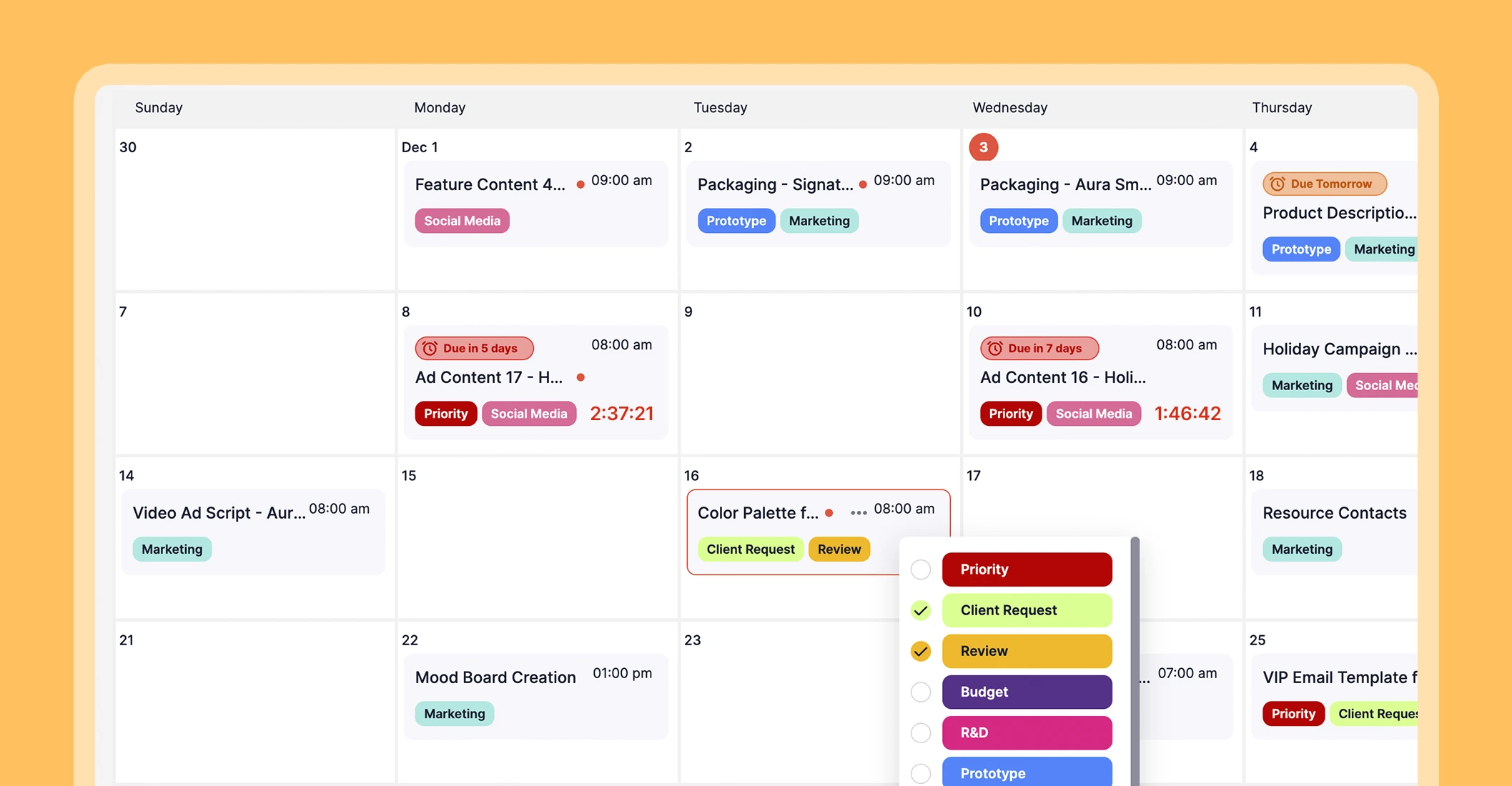
The only optional cost comes if you need more storage than the generous free allowance. You can scale when you need it, but your account and all core features remain free forever. Check our pricing here.
This is perfect for freelancers, small teams, or anyone who wants a professional-grade tool without paying upfront. Focus on your work, not on subscriptions, restrictions, or confusing tiers. Create an account today.
Conclusion
There’s no single “best” choice between free and paid project management tools. Look beyond the price and focus on value, flexibility, and long-term usability. When the tool fits your needs, managing projects becomes far less stressful.